
Figure 1: Complete usage flow. The user connects to the ESP32's WiFi network, is automatically redirected to the web portal where they view and modify configuration. Changes are stored in non-volatile memory (NVS) and persist after reboots, applying directly to the machine's hardware.
Technical Specifications
| Component | Technology / Specification |
|---|---|
| Microcontroller | ESP32-WROOM (Xtensa Dual-Core) |
| Network Mode | Access Point (AP) with Captive Portal |
| Protocols | HTTP (Web Server), DNS Hijacking |
| Persistence | Non-Volatile Storage (NVS) from ESP-IDF |
| Framework | ESP-IDF v5.4.1 |
| Interface | HTML/CSS/JS served from flash |
Implementation and Validation
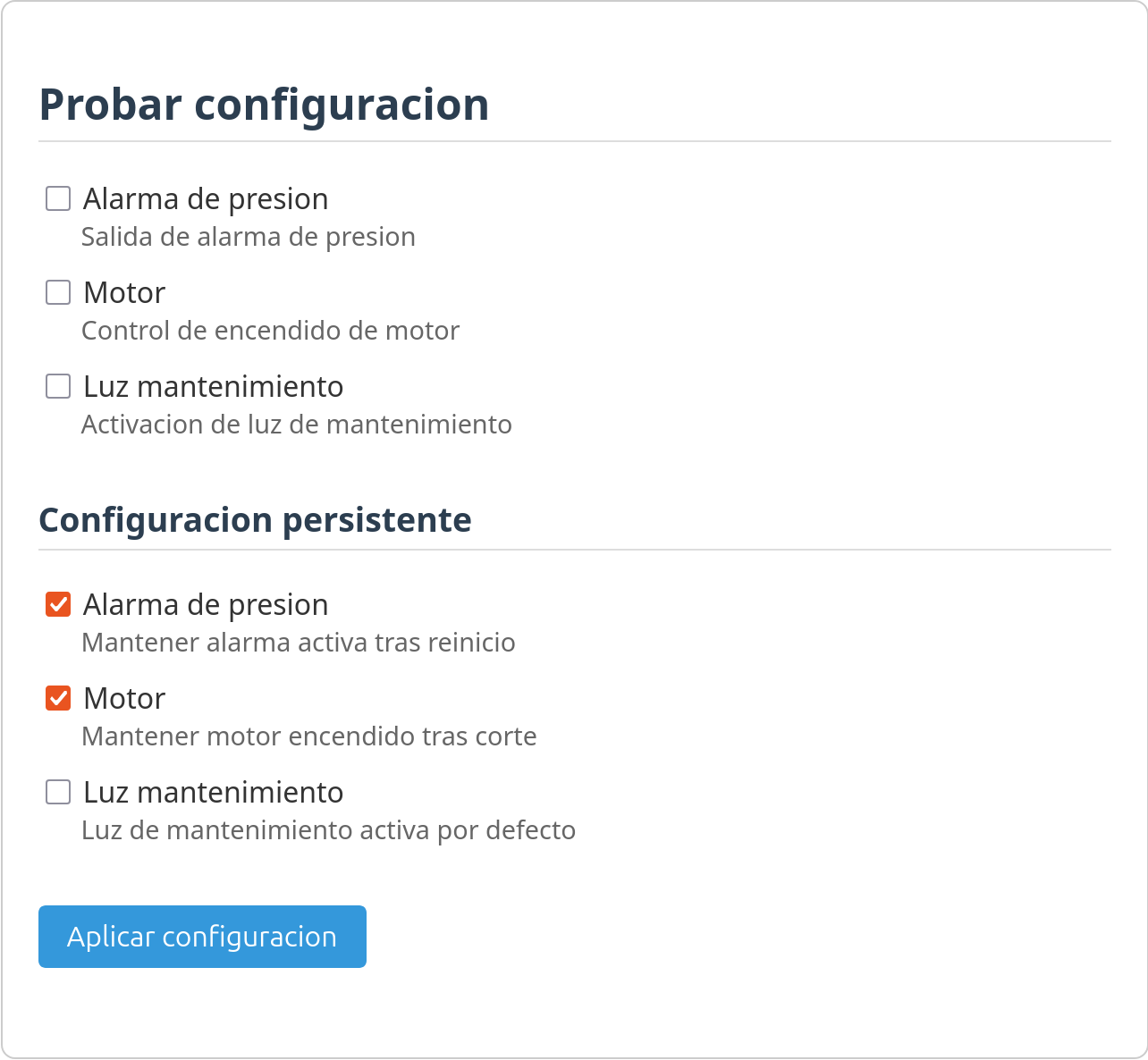
Figure 2: Web interface served from the ESP32. Allows testing configurations temporarily and saving them persistently in NVS.
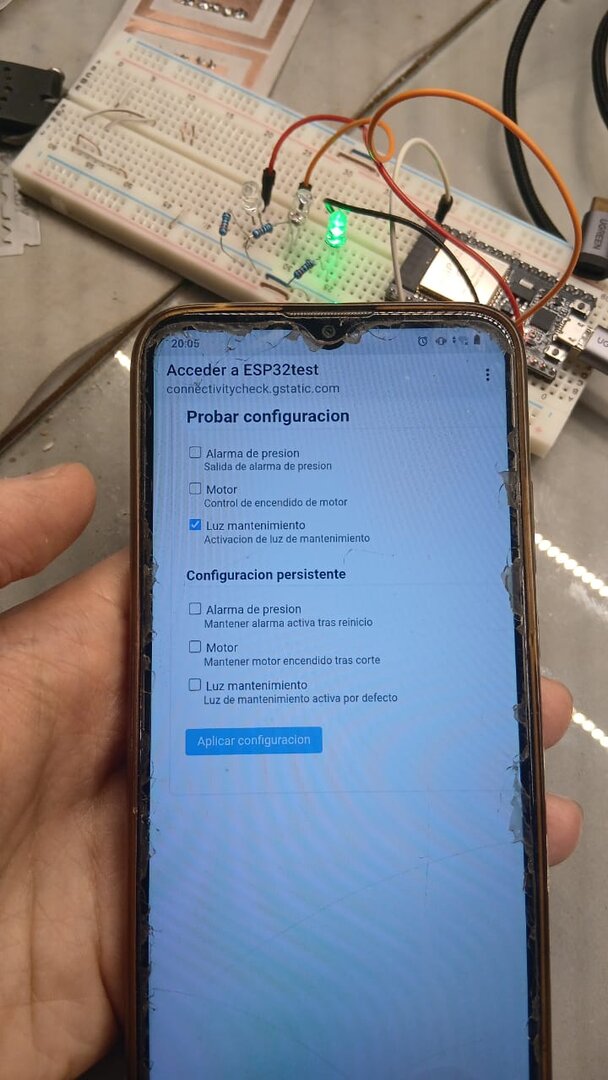
Figure 3: Physical test with smartphone connected to the portal. Automatic redirection (captive portal) works on real devices.
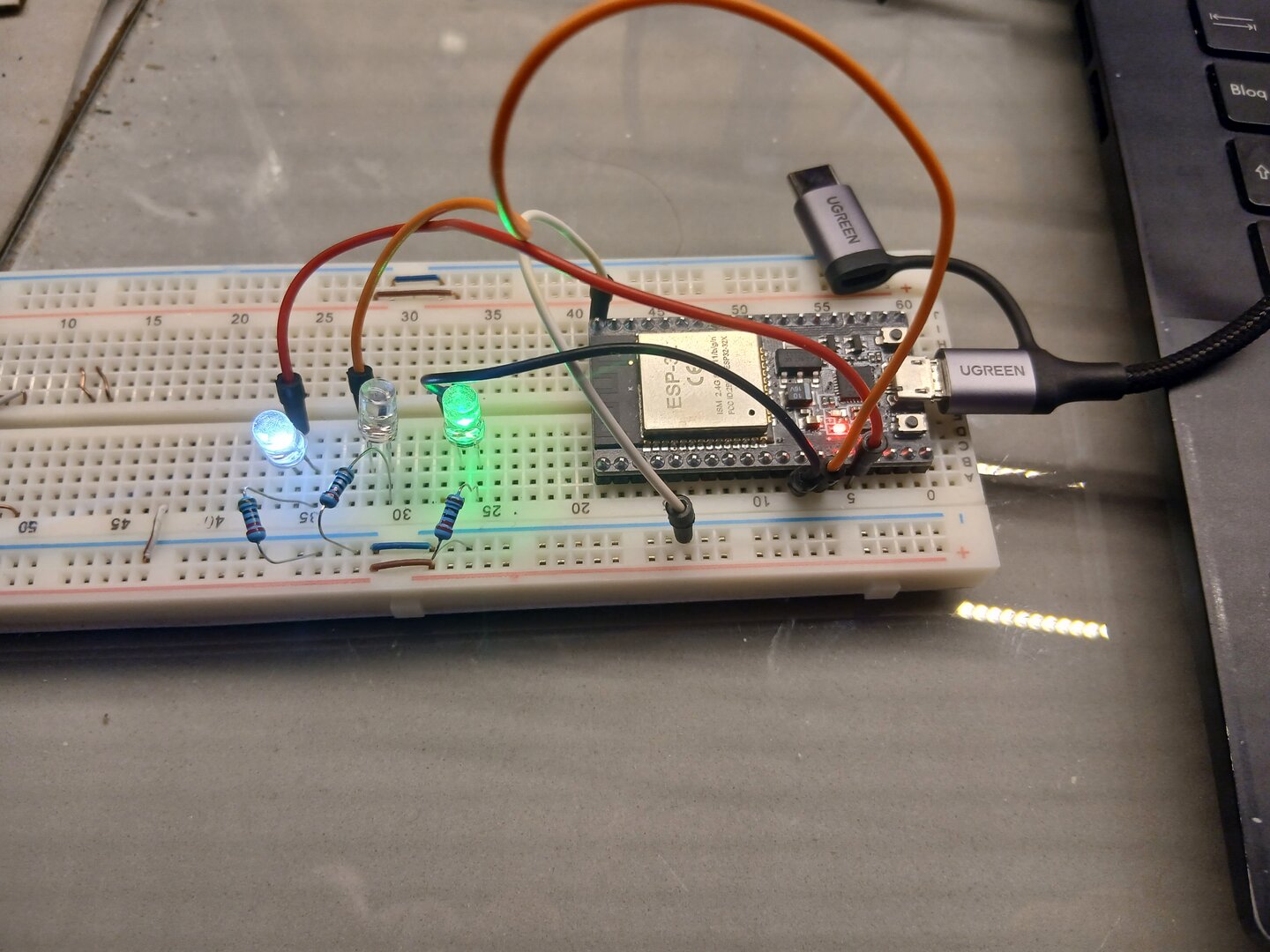
Figure 4: Physical configuration 1 applied. LEDs represent GPIO output states mapped to specific functions. |
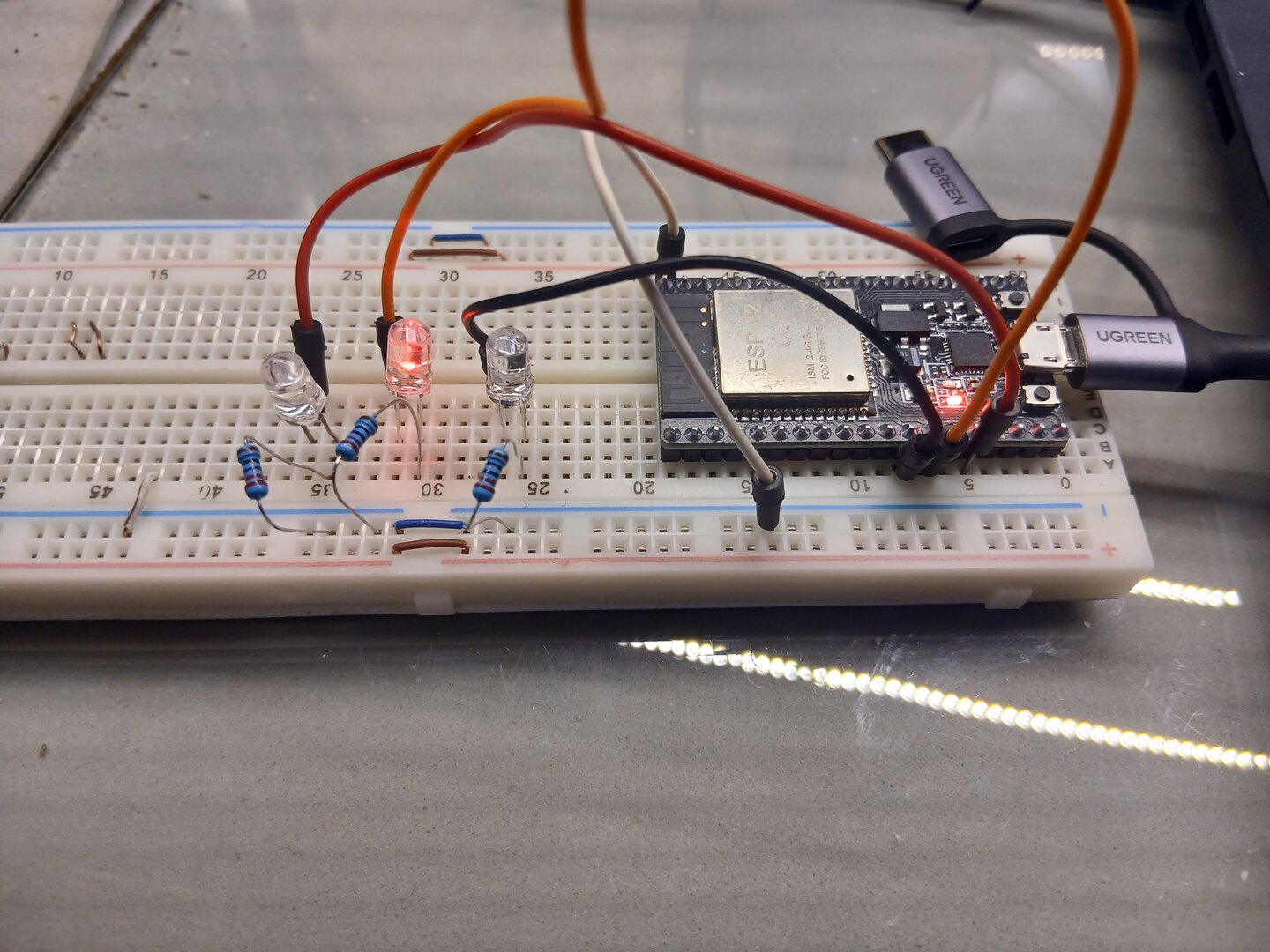
Figure 5: Physical configuration 2 applied. Changes made from the web are immediately reflected in the hardware. |
System Value
This system demonstrates that a robust, professional web configuration solution is achievable with minimal hardware and reduced cost. Using only one ESP32, without external components, keeps the implementation simple and economical while delivering full functionality.
Development was accelerated by starting from the official ESP-IDF captive_portal template, upon which configuration and persistence abstraction layers were built. This allowed focusing effort on application logic rather than designing already-proven network components.
The result is a system that works immediately upon connection, with low response times and verified configuration persistence after multiple reboot cycles. A practical solution for real deployments in technical and industrial environments.
Documentation and Source Code
Complementary material summarizing the project and detailing technical development:
Presentation Poster
Visual summary of the system, its architecture and usage flow.
Format: Interactive PDF · Content: Technical poster
Download Poster (PDF)Technical Report
Complete document with motivation, development, implementation and project results.
Format: Interactive PDF · Content: Complete technical report
Download Report (PDF)Project Repository
Source Code:
https://github.com/SimonAulet/portfolio/tree/main/ESP32Contains all system code: ESP-IDF firmware, web interface, build system configuration (CMake), and development scripts.